At the desk.
Out on the farm.
Open Farm Yo in your web browser or install the Android app. Use the official links below to find the option that fits your device.
Using an iPhone or iPad? Open the web workspace in your browser. A public iOS App Store release is not available yet.
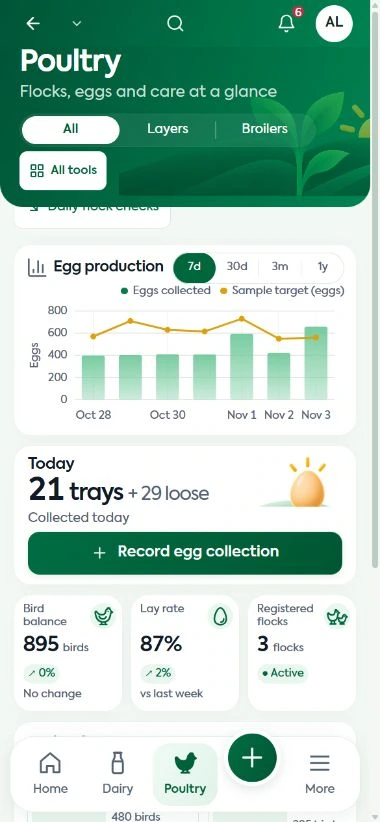
Choose your way in.
| Option | Use it for | Open |
|---|---|---|
| Google Play | Installing Farm Yo on an Android device through the public store listing. | View Farm Yo on Google Play |
| Current Android APK | Finding the current Android package from the Farm Yo app website. | Open the APK download page |
| Web workspace | Signing in through a browser on a phone, tablet or computer, including iPhone and iPad. | Log in to Farm Yo |
| Protected online demo | Exploring sample records before choosing a setup. Demo access controls apply. | Open the demo |
Get started
on Android.
Open the official listing
Follow the Google Play link above to the Farm Yo listing. Install the app using Google Play on your Android device.
Open Farm Yo
Sign in with your Farm Yo account. If you need a new farm setup or help with access, contact our team before getting started.
Begin with your daily records
Use the modules agreed for your farm. Ask for guidance on the tasks your team will record and the reports you want to review.
Looking for the APK?
The current Android APK is linked from the official Farm Yo app website. Open that download page and follow its current installation instructions.
Current Android APKIf installation or account access is unclear, ask Coregrid on WhatsApp and describe your device and the step you reached.
Installing the app does not choose a subscription or create your farm setup. Compare plans and discuss your requirements with us.
A few useful
answers.
Need help choosing an access option? Call +256 791 166 867 or email our team.
Can I use Farm Yo without installing an app?
Yes. Open the web workspace in a browser on your phone or computer and sign in with your Farm Yo account.
Where is the iPhone app?
A public iOS App Store release is not available yet. Use the web workspace on iPhone or iPad. We will share an approved store link when one is available.
Is the demo the same as my farm account?
The protected demo uses sample farm records for exploration. Your farm workspace is set up separately with the modules, capacity and team access agreed with Coregrid.
Where do I go for help signing in?
Contact Coregrid through WhatsApp, call +256 791 166 867 or email info@coregrid.it.com. Tell us which device and access option you are using.